
Navigating traffic violations and significant fines can be overwhelming. If you’re unfamiliar with the payment process, it can quickly become distressing.
Non-payable fines, also known as blocked or locked fines, can be perplexing. These fines usually come with black points in addition to the financial penalty.
Such fines are often issued for traffic infractions, with amounts varying based on the violation’s severity. For instance, speeding may lead to a blocked fine of Dh500, while driving under the influence can result in a Dh2,000 fine.
Stay informed with the latest updates. Follow KT on WhatsApp Channels.
Though most residents pay traffic fines online, this isn’t an option for non-payable fines. So, how do you address these penalties?
In Dubai, drivers must contact the traffic department via email at ps-t@dubaipolice.gov.ae or visit these departments: – Deira Traffic Department (Opposite Terminal 2) – Barsha Traffic Department (near Mall of the Emirates, facing Sheikh Zayed Road).
Motorists need to visit a police station with their Emirates ID and driving license. At the station, black points are transferred from vehicle licenses to driving licenses, allowing on-the-spot fine payment. For a complete list of fines and black points, click here.
Previously, in Abu Dhabi, non-payable fines couldn’t be settled online and required a visit to Traffic Police Service Centres. This has now changed. Motorists in the capital can now pay these fines online or at police stations. Here’s a guide to resolving non-payable fines in Abu Dhabi:
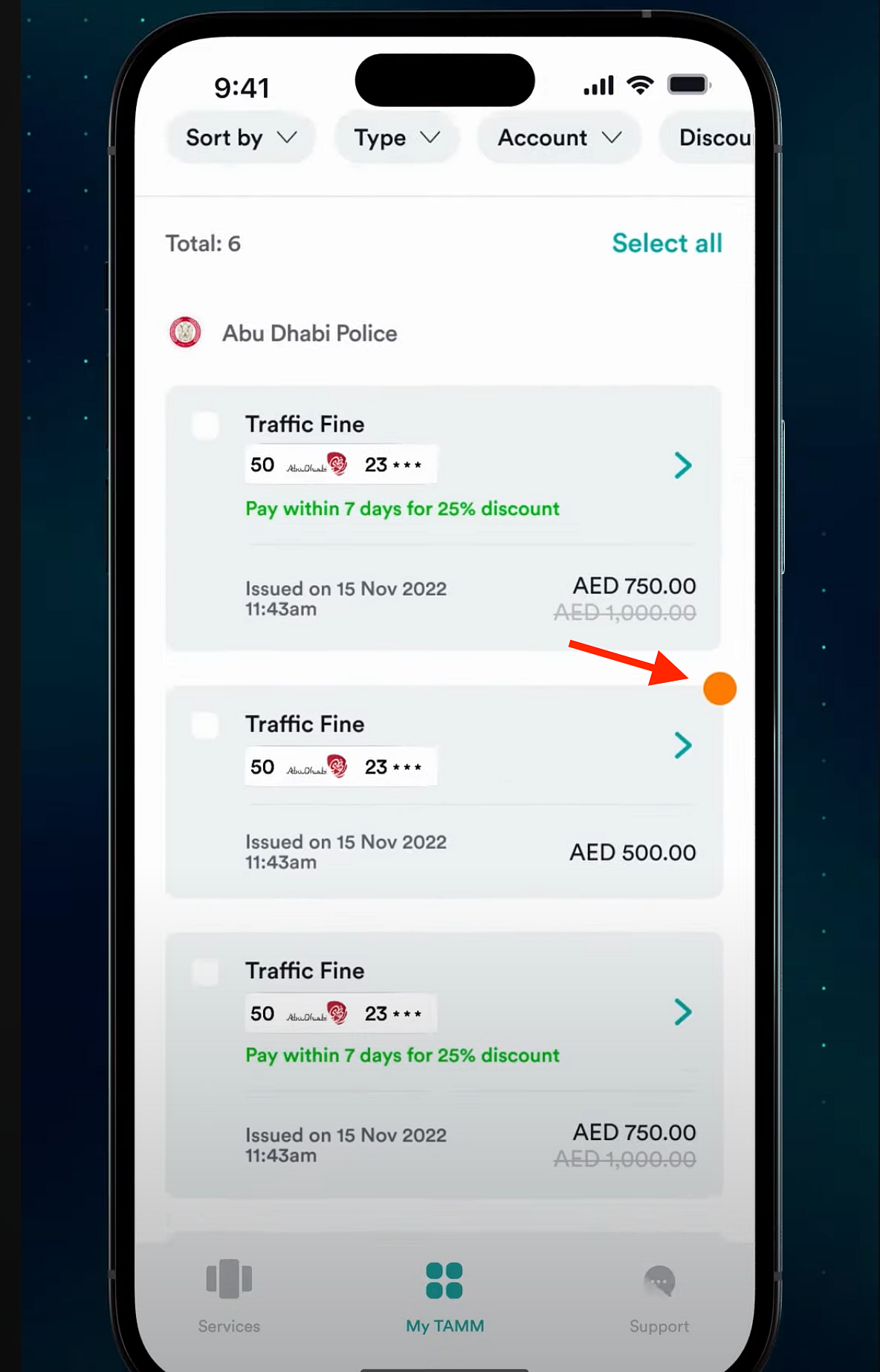
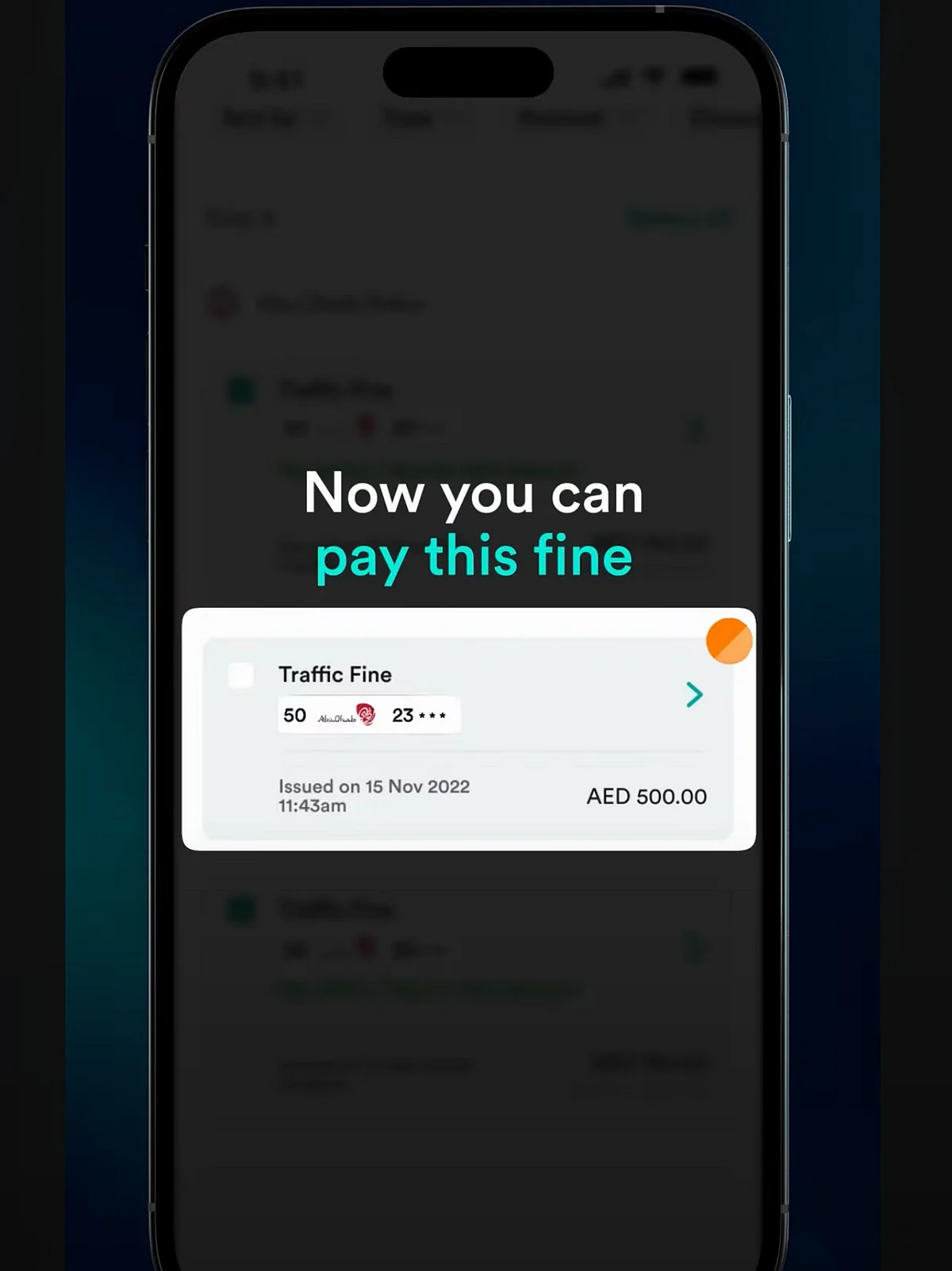
Open the TAMM mobile app to view your fines, indicated by an orange dot symbolizing non-payable fines due to black points.
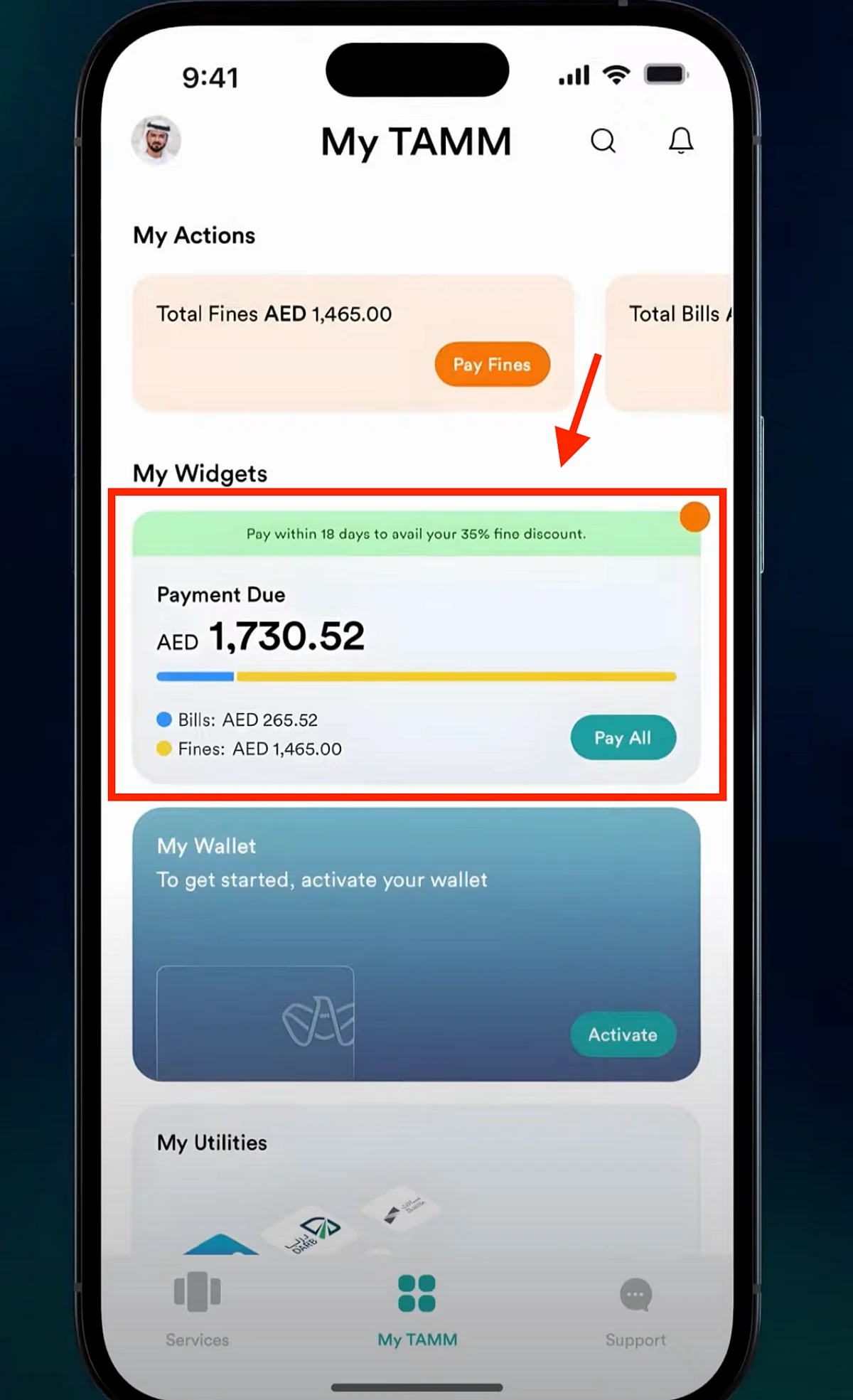
- Click ‘pay all’ to view fine details. Click the orange dot option.
- The app will prompt you to transfer black points to make the fine payable.
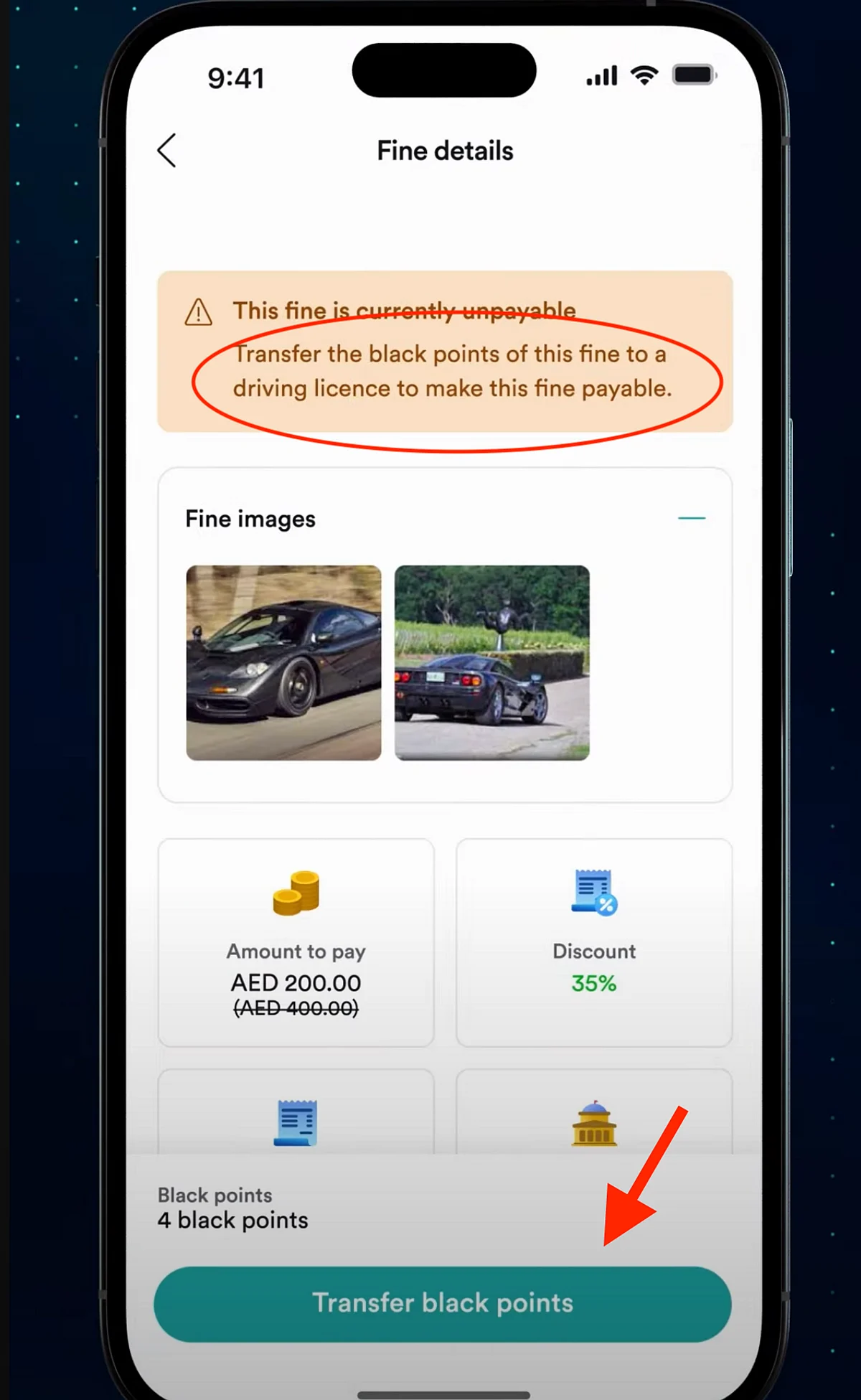
- Two transfer options are available: ‘transfer to my license’ and ‘transfer from another profile’.
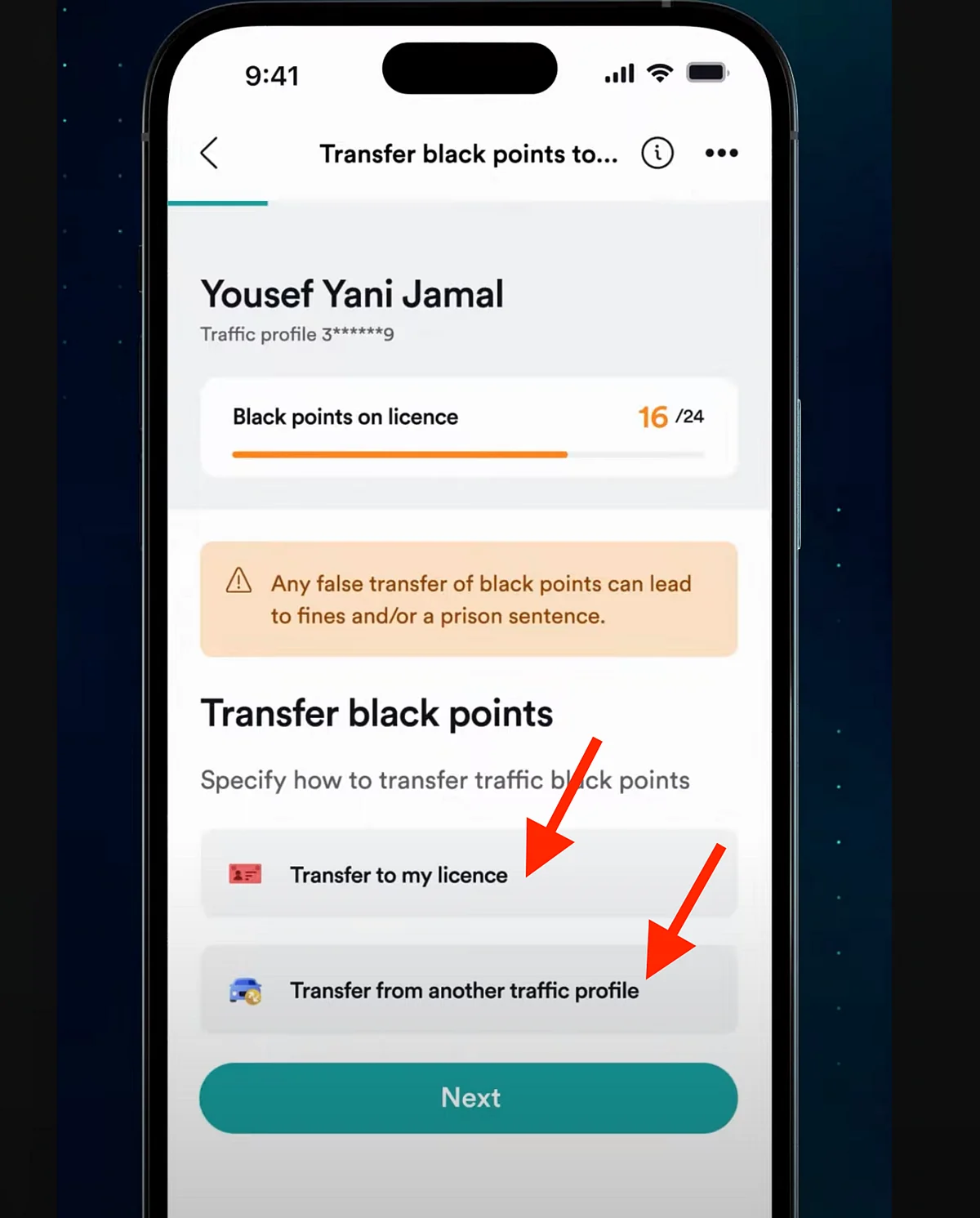
- Transfer to my license
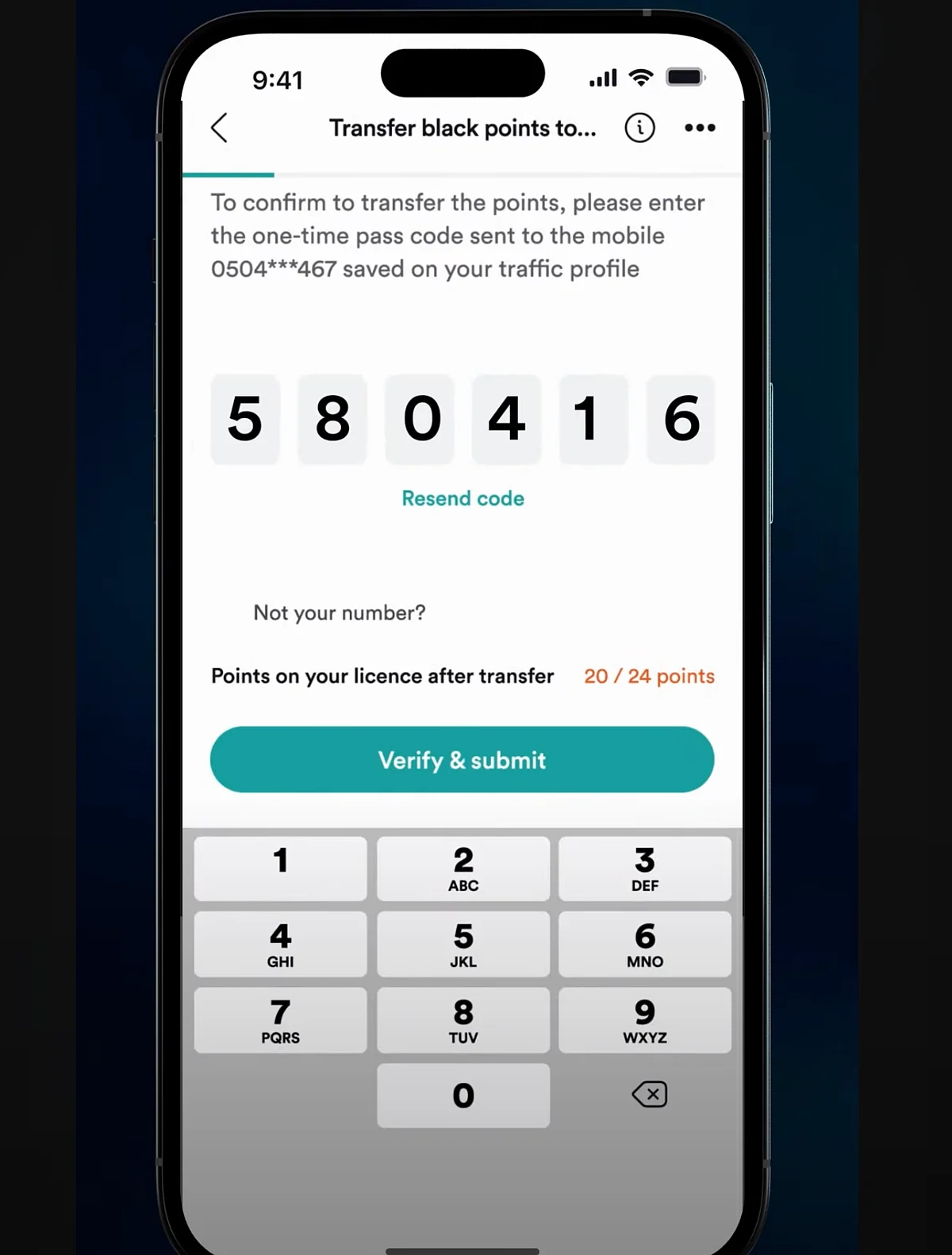
Select ‘transfer to my license’ and choose the fine. An OTP will be sent to your registered mobile. Enter the OTP and click ‘verify & submit’.
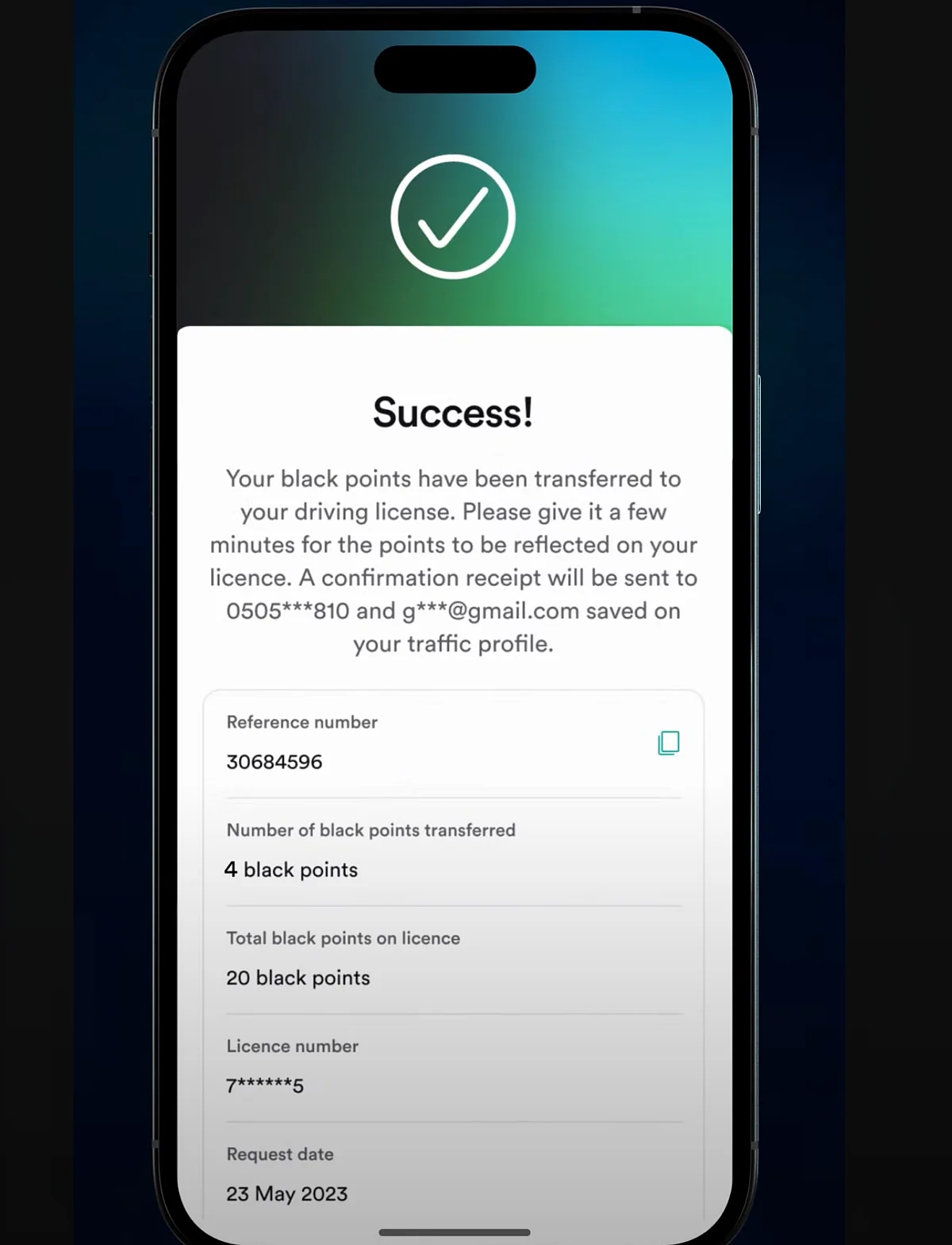
Your black points will transfer to your driving license, unlocking the non-payable fine for payment.
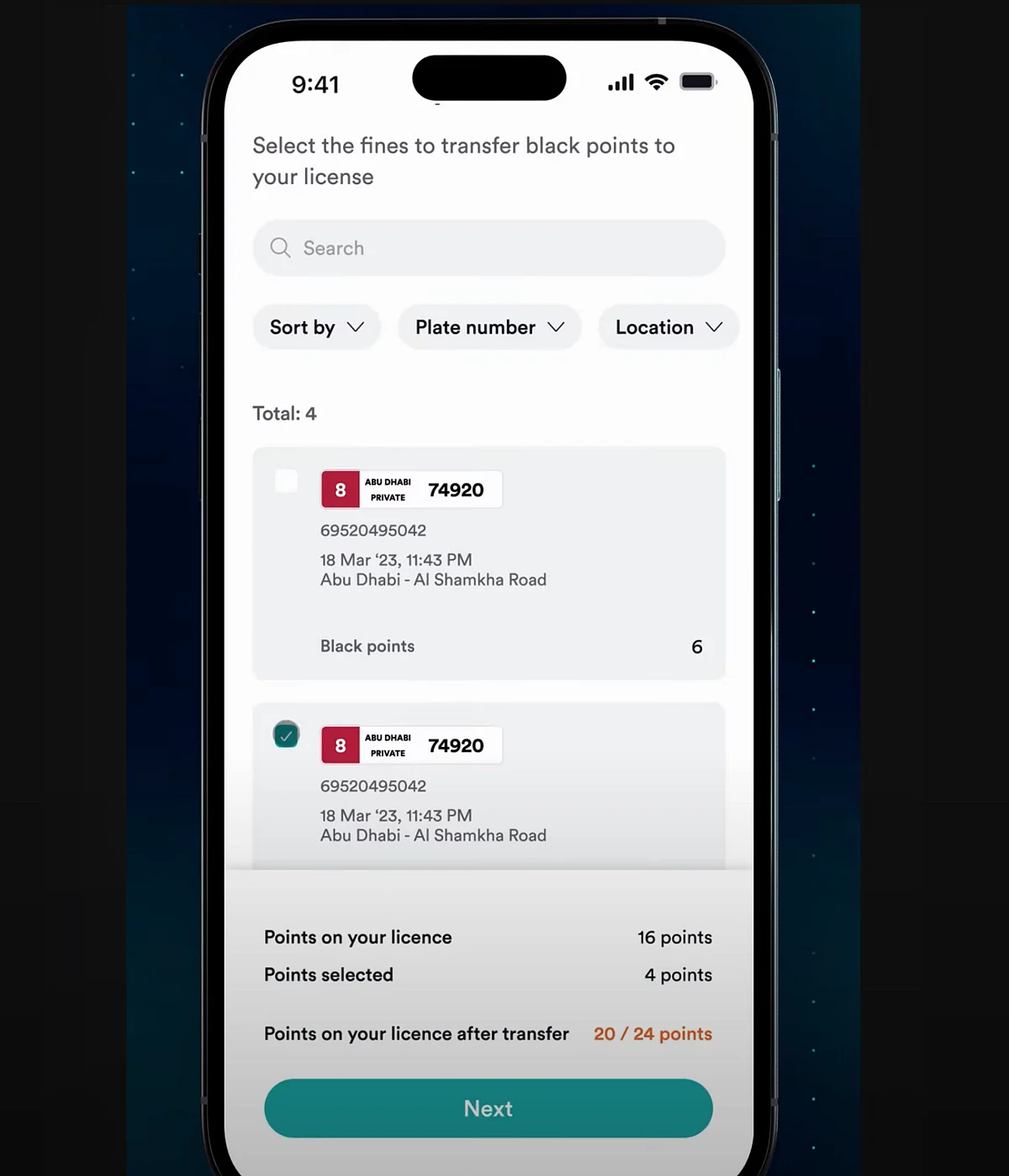
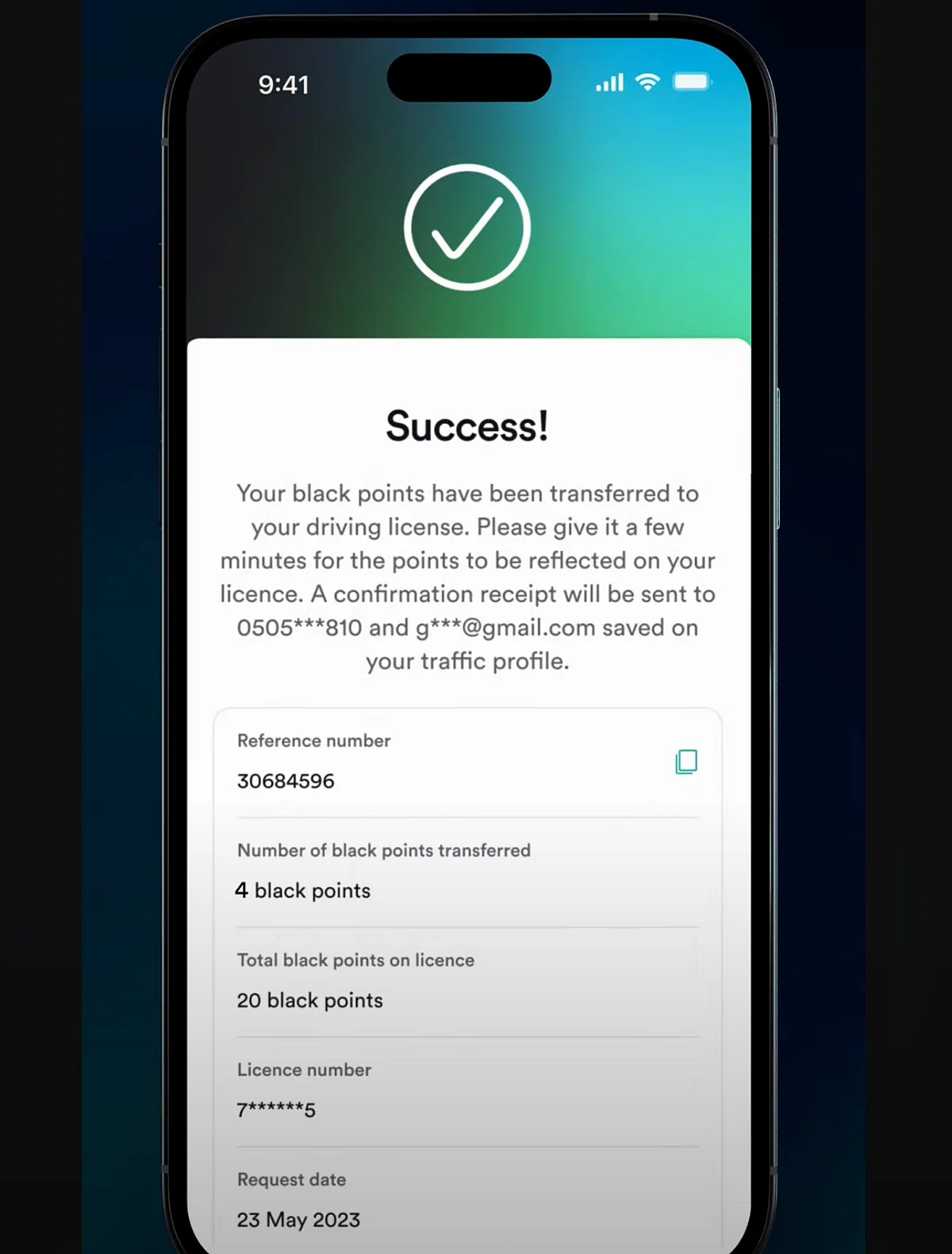
- Transfer from another traffic profile (second option)
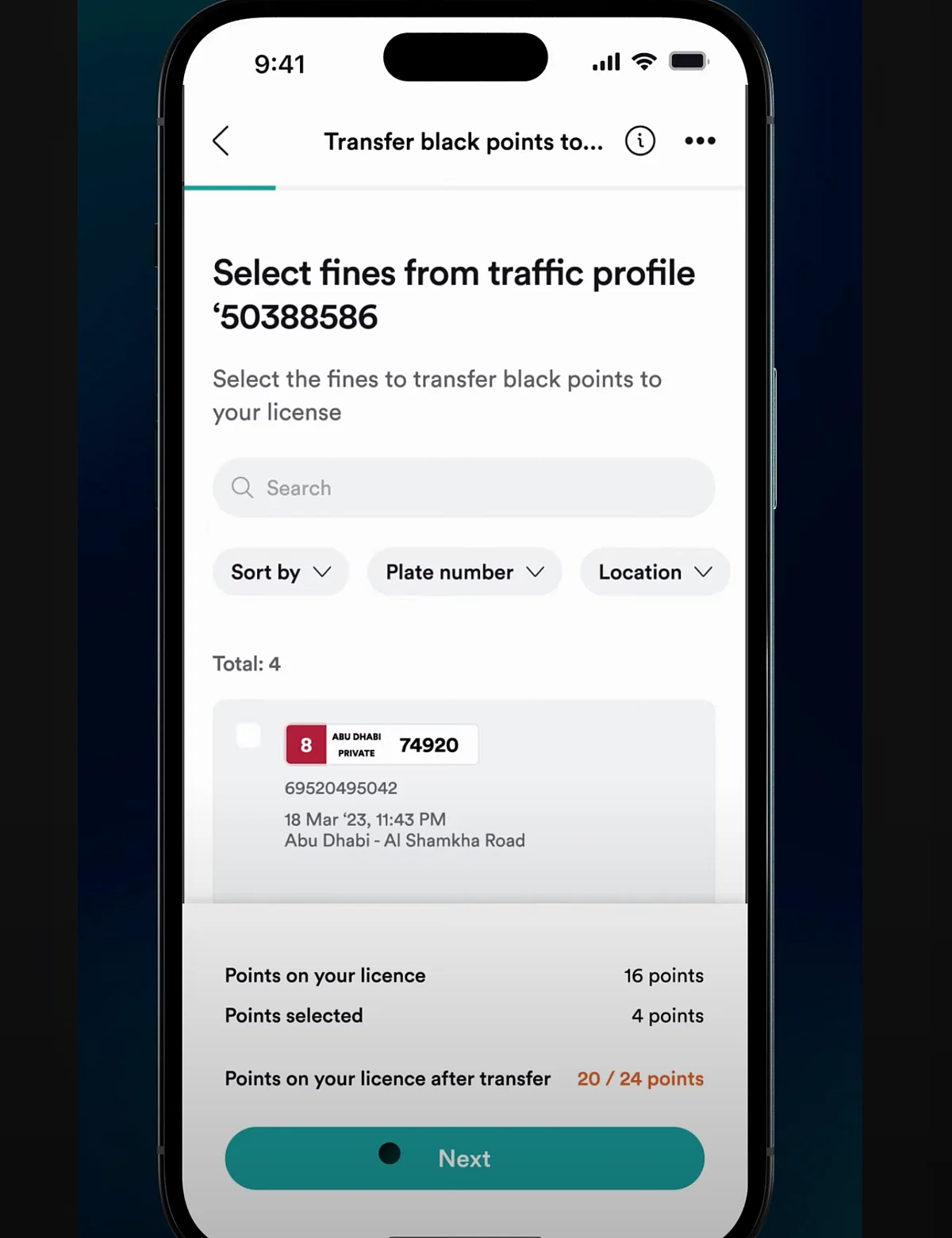
Choose ‘transfer from another traffic profile’ and click ‘next’. Enter the traffic fine number and click ‘next’. Select your fine and proceed.
An OTP will be sent to your phone. Enter it and click ‘verify & submit’. Your black points will transfer, enabling fine payment, as illustrated in the images below.
In Sharjah, Ajman, Umm Al Quwain, Ras Al Khaimah, and Fujairah, black points can be transferred via the MOI app or website. Here’s how:
Download the ‘MOI UAE’ app from the Apple or Google Play Store and log in with your UAE Pass.
Navigate to ‘traffic services’ and select ‘Register black points’. Enter the owner’s TC number or plate number to search and fill in the necessary details, then click ‘search’.
Select the violation to transfer points and enter the OTP sent to your mobile.
Provide your TC number and confirm the transfer.